


Tile Match puzzle - Tiletopia
4.95.42K Reviews
App Specs
- Version
- 1.582.0
- Updated On
- License
- Free
- Downloads
- 10,000,000+
- Developer
- PlaySimple Games
- Categories
- Puzzle
- Platform
- Android, iOS
Screenshots
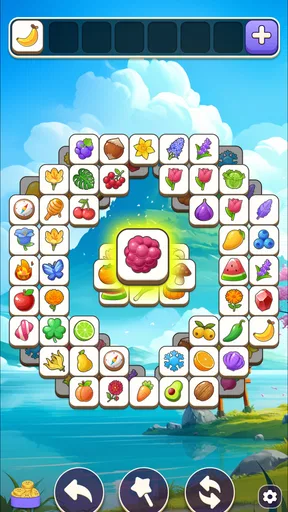
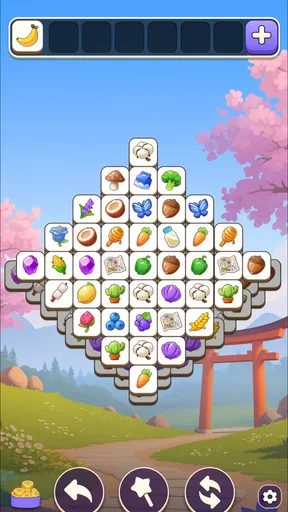
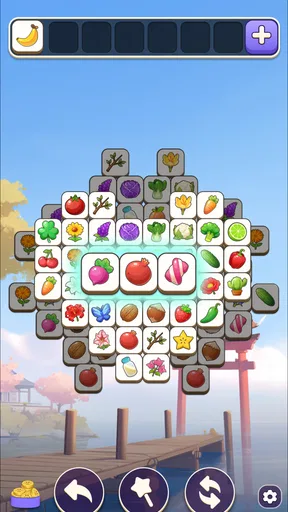
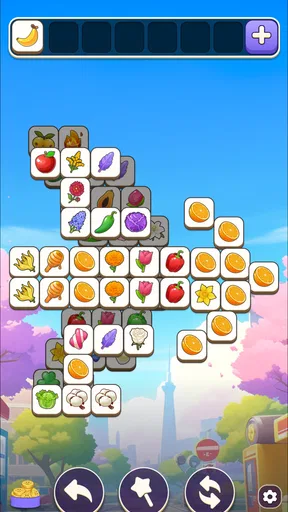
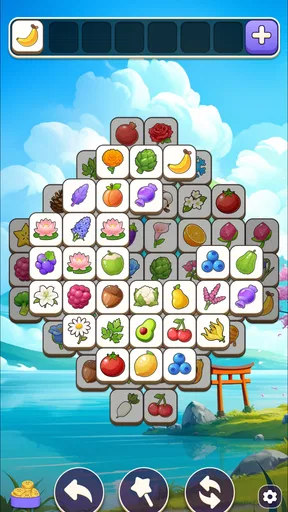
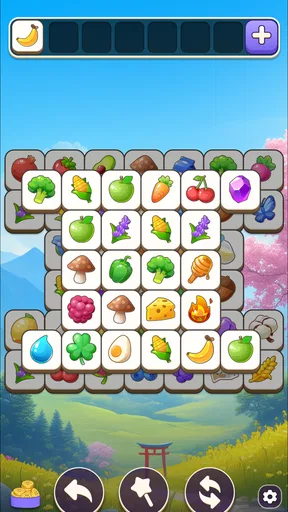
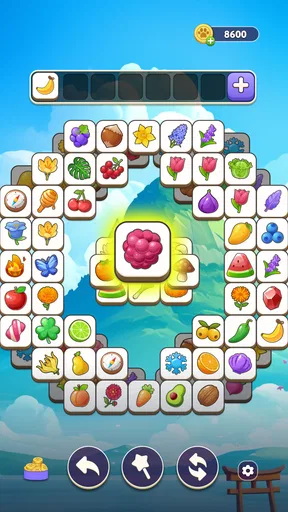
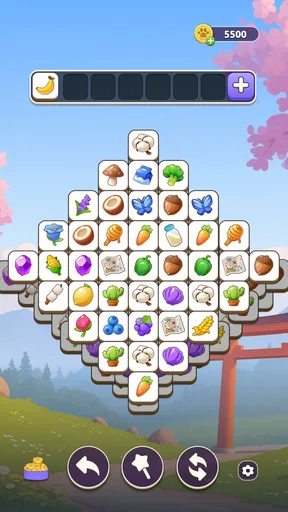
 Analysis by AppCompare
I like having a simple puzzle available for the small gaps in a day: a few minutes before dinner, a quiet stretch on the sofa, or a wait when I do not want to open a demanding game. Tile Match puzzle - Tiletopia suits that role because its tile-matching play is easy to approach, while a board can still ask me to pause and think. It is a casual puzzle game from PlaySimple Games, and its appeal is less about a complicated story than about settling into a clear, repeatable challenge.
A game that can be passed around
On a shared household device, this kind of game is easy to understand at a glance. One person can finish a short session and hand the device to someone else without needing a long explanation of controls or a commitment to follow a story. I would still treat turns as separate: if several people play on the same device, agree whose session is active before starting, rather than assuming everyone’s progress or choices will be kept distinct.
That small boundary matters more than it may seem. A puzzle can feel like a communal activity when people suggest a move or watch the board, but the person holding the device is still making the choices. I find it works best to let the player decide whether they want advice. If someone is trying to concentrate, a running commentary from the sofa can make a relaxing game feel oddly pressured.
Getting started and setting expectations
The game is free to download, and its age rating is Everyone. It is also a substantial title in the puzzle space: it has more than ten million installs, with an average rating of 4.9 from around 217,000 ratings. Those figures suggest that it has found a broad audience, but they do not tell me whether it will suit a particular household. The useful test is whether the player enjoys scanning a board and planning a few moves, rather than expecting a fast action game.
Its current version is 1.538.0, and it runs on Android 8.0 or later. Before putting it on an older device that several people rely on, I would check that the operating system meets that requirement and that there is room for another game. The title is free, but optional in-app purchases range from $0.99 to $49.99 per item. I would make sure the device owner understands that purchases can be offered inside free games and set household expectations accordingly, especially if children use the same device.
Getting Started with Tile Match Puzzle
First off, downloading Tile Match puzzle - Tiletopia is a breeze. Available on both Android and iOS, you just click, download, and you’re ready to dive into a world of tiles that need matching. The interface is clean and user-friendly, so you won’t feel overwhelmed when you first open the app. The tutorial at the beginning does a great job of giving you the ropes without feeling like a lecture. It's intuitive, and you’ll find yourself matching tiles like a pro in no time.
The Gameplay Experience
Now, let’s talk about the gameplay. The concept is straightforward: you need to match three tiles to clear them from the board. But don’t let the simplicity fool you! As you progress, the levels become more challenging, with intricate layouts and limited moves. It’s a perfect blend of soothing and engaging, keeping you on your toes as you strategize your next moves.
Worth Reading Before You Choose

EA SPORTS FC Mobile 26 Is a Bigger Football Game, but It Takes Time

Flipboard Shows What News Apps Must Do Beyond the Feed

Switching to Android Auto Means Rethinking Your Driving Routine

Google Calendar Makes a Crowded Week Easier to Manage

Ludo King Makes the Most of the Minutes Between Plans

Baby Panda World Brings Quick Play to Modern Phones, but Its Game Library Feels Busy
What I love most about Tiletopia is its design. The tiles are visually appealing, with vibrant colors and intricate patterns that make each level a visual treat. You can tell that the developers put a lot of thought into the aesthetics, and it pays off in making the game more enjoyable.
Choosing a pace that works
A practical way to approach the boards is to look over the available tiles before tapping quickly. When choices are limited, I try to think about what a selection might uncover or leave blocked, rather than making the first obvious match. That habit helps me avoid filling the available selection space with tiles that do not form a useful set. It also makes a level feel like a small planning exercise instead of a reflex test.
For a shared session, it can help to agree on one player making the taps while another offers suggestions, rather than passing the device back and forth mid-board. That keeps the decision-making clear and avoids accidental moves. If the board starts to feel frustrating, taking a break is a better fit for the game’s casual pace than treating every level as something that must be cleared immediately.
Features and Challenges
One of the standout features of Tile Match puzzle - Tiletopia is its variety of levels. There are hundreds to keep you entertained, each one more creative than the last. The game introduces new elements and obstacles as you progress, such as locked tiles and bombs, which add layers of complexity and keep the gameplay fresh.
There's also a hint system available, which is a lifesaver when you’re stuck on a particularly tricky level. But don’t worry, it doesn’t take away the challenge; it just gives you a little nudge when you need it. And if you’re competitive like me, you’ll appreciate the leaderboard feature, where you can see how you stack up against players worldwide.
When hints help—and when to wait
I would save a hint for a genuine stall rather than use one as soon as a level becomes less obvious. First, scan for a move that opens access to more tiles or avoids leaving awkward leftovers; then use the hint if you still cannot see a productive route. This turns the hint into a way past a dead end, not a substitute for noticing how the layout works. It is also a useful approach for younger players: offer a question such as “Which move gives you more choices?” instead of simply telling them what to tap.
Limited moves and special obstacles give the game a different feel from a basic matching activity. They reward patience, but they can also make a level less relaxing when a run goes poorly. If you are playing to unwind, I would judge success by whether the session feels enjoyable, not by how quickly you clear a board. Anyone who dislikes retrying puzzles or prefers a game with no pressure around move choices may be happier with a looser, open-ended puzzle instead.
How it fits beside other puzzle games
Compared with a word puzzle, Tiletopia asks for visual scanning and spatial planning rather than vocabulary. Compared with a traditional jigsaw, it gives you short decisions and board-clearing goals instead of a large picture to assemble over time. That makes it a handy choice when I have only a little time and want a task I can understand quickly. It is not the better option for someone who wants a deep narrative, a long uninterrupted campaign, or a puzzle that depends on developing a complex strategy over many sessions.
The leaderboard adds a competitive angle, but I would treat it as an optional extra rather than the reason to play. In a household, comparing progress can be fun if everyone enjoys that kind of friendly challenge; it can also turn a calm pastime into a score contest. I would keep the emphasis on solving a tricky layout together, especially when players have different experience levels.
Why You’ll Love It
So why should you give Tile Match puzzle - Tiletopia a try? For starters, it’s a fantastic way to pass the time. Whether you’re on a commute, taking a break at work, or just lounging at home, it’s a game that fits seamlessly into your routine. It’s also a great way to de-stress. The act of matching tiles, combined with the soothing soundtrack, provides a sense of calm and focus.
A realistic use for it is a short wait when I want something more engaging than scrolling but do not have the attention for a full game session. I can focus on the current board, then put the device away when the moment is over. For a household, that also makes it easy to take turns at a natural stopping point, rather than asking someone to pause a long match. The trade-off is that a puzzle requiring careful thought may not be ideal if you need to pay attention to a conversation, travel announcements, or another task at the same time.
It is best suited to people who enjoy matching patterns, learning a board’s constraints, and occasionally retrying a level. A younger player can find the basic idea approachable, while an adult may enjoy the planning that comes from obstacles and limited moves. I would skip it if you want a purely social game, a competitive multiplayer focus, or a puzzle that steadily teaches formal logic. Tile matching is its own kind of thinking, and liking puzzles in general does not guarantee that this particular rhythm will click.
Costs, patience, and shared-device trust
Plus, it’s free to play, with in-app purchases available if you want to enhance your experience. However, the game is generous enough with its rewards that you won’t feel pressured to spend unless you want to.
Because purchases are available, I would not hand over a shared device without first making clear who is allowed to buy anything. The available item prices span from $0.99 to $49.99, so even a game that costs nothing to start deserves the same purchase awareness as other apps. That is not a reason to avoid it; it is simply a sensible household rule. The game is more enjoyable when nobody is surprised by a purchase prompt or feels pushed to spend to keep up.
There are a few practical questions worth settling before regular use. Will one person own the device session, or will people take turns? Is the player comfortable with optional purchases appearing in a free game? And does the device meet the minimum operating-system requirement? Answering those in advance makes the game easier to share and prevents the puzzle itself from becoming a source of household friction.
A household-friendly fit, with limits
For a household verdict, I see Tiletopia as a good casual option when people want a quiet, turn-based activity that is easy to pick up and easy to put down. Its accessible matching premise can bring different ages around one screen, while the more demanding boards give experienced players something to think through. The best shared experience is cooperative without taking control away from the person playing: discuss a move, let them choose, and keep purchases and turns clear.
It is less suitable as a substitute for a game designed around distinct user profiles or a family activity with dedicated coordination tools. I would not assume that a shared device automatically creates separate progress or account boundaries. If keeping each person’s activity fully separate is important, choose an option that explicitly supports that arrangement. Tiletopia works best as a straightforward puzzle everyone can enjoy in turn, not as a household-management feature.
Final Thoughts
In conclusion, Tile Match puzzle - Tiletopia is a delightful addition to any puzzle lover’s collection. It’s engaging, beautifully designed, and offers just the right amount of challenge to keep you coming back for more. Whether you’re a seasoned puzzle enthusiast or just looking for something to keep your mind active, Tiletopia is definitely worth a download. So why not give it a try and see if you can become the ultimate tile-matching master?
My recommendation is to try it when you want a visual puzzle with quick-to-grasp rules and room to plan, not when you need a completely hands-off background distraction. Its free entry, Everyone age rating, and approachable format make it easy to consider for a shared device, while the purchase range and lack of assumed account separation are reasons to set expectations first. If that balance suits your household, it can turn an ordinary pause into a satisfying little challenge; if you prefer wordplay, story-driven puzzles, or a game with clearly separate household profiles, another option will fit better.
Pros
- Engaging tile-matching gameplay.
- Visually appealing graphics.
- Regular updates with new levels.
- No intrusive ads during play.
- Smooth performance on most devices.
Cons
- Limited lives can halt progress.
- In-app purchases can be pricey.
- Requires constant internet connection.
- Some levels feel repetitive.
- Occasional bugs with tile recognition.
FAQs for Tile Match puzzle - Tiletopia
What is Tile Match puzzle - Tiletopia and how does it work?
Tile Match puzzle - Tiletopia is an addictive tile-matching game where players need to match three identical tiles to clear them from the board. The objective is to clear all tiles to progress through levels. With a variety of themes and increasing difficulty, it offers a relaxing yet challenging gaming experience.
Is Tiletopia suitable for all ages?
Yes, Tiletopia is designed for players of all ages. Its intuitive interface and simple gameplay mechanics make it accessible to younger players, while the increasing complexity of levels offers a challenge for older players. It's a great game for families to enjoy together.
Does Tile Match puzzle - Tiletopia require an internet connection?
Tiletopia can be played offline, making it a convenient option for on-the-go gaming without needing a data connection. However, some features, like leaderboard access and in-app purchases, may require an internet connection for full functionality.
Are there in-app purchases in Tile Match puzzle - Tiletopia?
Yes, Tiletopia offers in-app purchases that allow players to buy boosters or extra lives, which can help in progressing through tougher levels. While the game is free-to-play, these optional purchases can enhance the overall gaming experience.
Can I sync my game progress across different devices?
Tiletopia offers the option to sync game progress across devices by connecting the app to your Facebook or Google account. This feature ensures that you can pick up right where you left off, regardless of the device you are using.


